Pictory Review 2026: Turn Text Into Videos Without a Camera | SkillQuesters
Disclosure: This post contains affiliate links. If you buy through them, SkillQuesters may earn a commission at no extra cost to you. What is Pictory? Video is one of the…
Disclosure: This post contains affiliate links. If you buy through them, SkillQuesters may earn a commission at no extra cost to you.

What is Pictory?
Video is one of the fastest ways to explain an idea, teach a lesson, or promote a product, but filming is not for everyone. You need a camera, decent lighting, a quiet room, and time to edit. Pictory is an online AI service that skips most of that work. Instead of recording yourself, you start with text — a script you wrote, a blog article, or even a long recording — and Pictory turns that text into a finished video with a voiceover, captions, music, and stock footage.
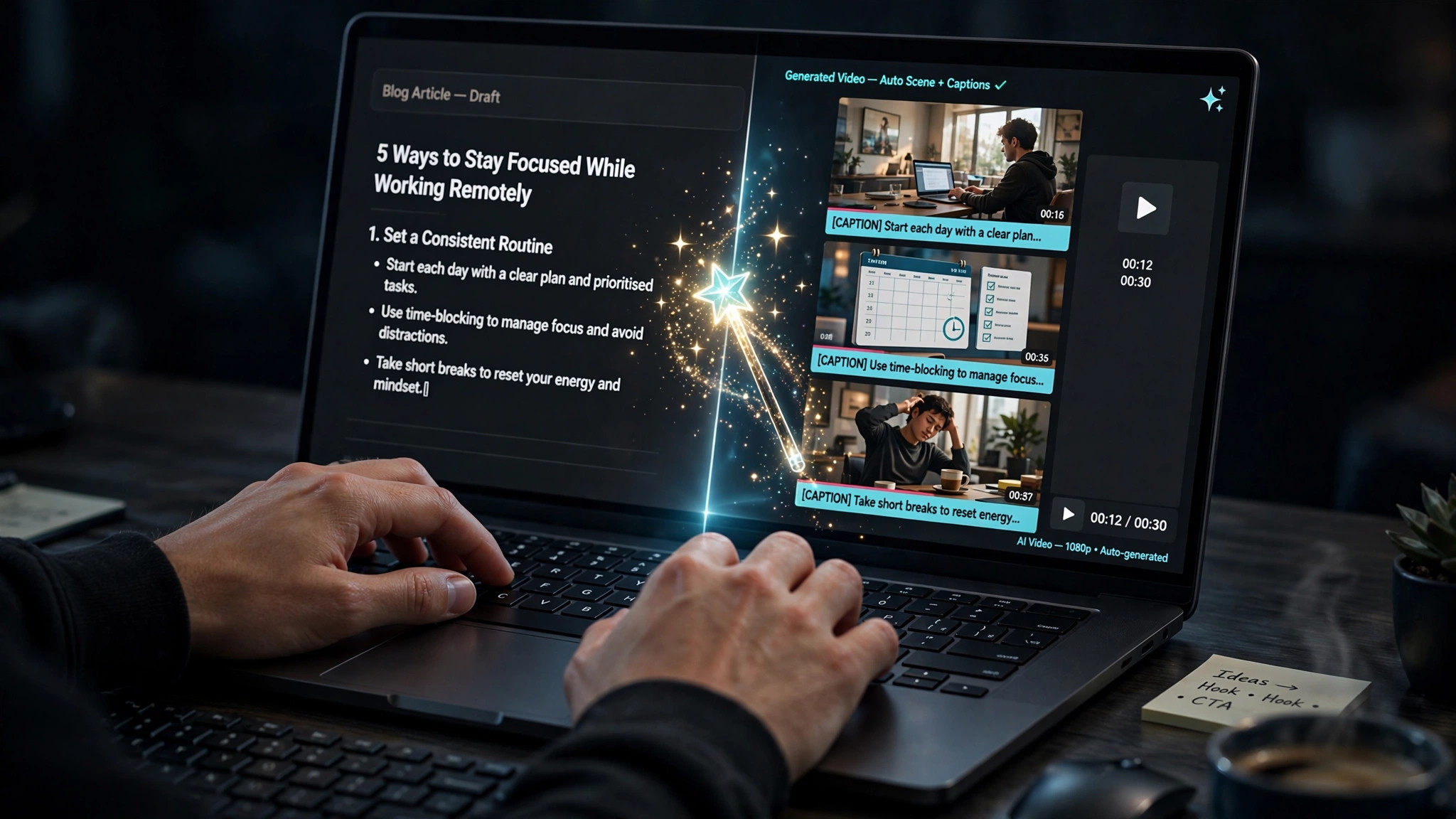
In practice, the platform reads your script, breaks it into scenes, and matches each scene with relevant stock video clips or images. It then adds an AI voice, subtitles, and background music, and lets you preview and edit everything in your browser. There is no software to install and no camera required. If you already write blog posts, course lessons, newsletters, or social media content, Pictory is designed to help you repurpose that writing into watchable video in minutes rather than hours.
If you want to see how it feels before you commit, you can start with Pictory here and test it on one of your own scripts.
Who is Pictory for?
Pictory is a good fit for creators who publish words first and video second. Bloggers can turn popular articles into YouTube videos or short clips for social media without reshooting anything. Marketers can produce product explainers, ads, and landing-page videos from copy they already have. Course creators and coaches can convert lesson notes and slides into narrated video lessons, which is especially useful if you do not enjoy being on camera.
It also suits small teams, freelancers, and affiliate publishers who need a steady output of faceless videos. If your channel or brand does not depend on your face and personality on screen, Pictory can keep content moving while you focus on writing and strategy.
Key features
Script-to-video
This is the core workflow. Paste or write a script, choose a voice and a visual style, and Pictory builds a scene-by-scene video. You can swap clips, change the voice, adjust timing, and edit the text on screen before exporting.
Article-to-video
Instead of starting from scratch, you can feed the tool written content and let it pull out the main points. This is handy for repurposing blog posts: one article can become a YouTube video, and shorter cuts can become clips for other platforms.
Auto-captions and subtitles
Pictory can automatically transcribe speech and add captions. Captions matter because many people watch video with the sound off, and they also make lessons and tutorials easier to follow. You can export subtitle files as well, which helps with accessibility and publishing on different platforms.
Stock library and music
Each scene is illustrated with stock footage or images from large media libraries, and you can add background music from a built-in collection. You do not need to film B-roll or hunt for royalty-free clips for every sentence. Brand kits on paid plans let you reuse your logo, colors, and fonts so videos look consistent.
AI voiceover
You can choose from standard AI voices or more realistic premium voices, depending on your plan, and you can also upload or record your own narration. For course creators, options such as voice cloning on higher plans can make repeated lessons sound more consistent, although you should always listen to the final result before publishing.
Pros and cons
Pros: It is fast, beginner-friendly, and genuinely useful if you hate filming. The text-based editing is intuitive — if you can edit a document, you can edit a Pictory video. The stock library saves a lot of searching, captions are automatic, and one piece of writing can be reused across several platforms. For bloggers and small course businesses, that time saving is the main value.
Cons, honestly: The AI voiceover can still sound robotic or flat in places, especially on longer or more emotional scripts, so it may not suit storytelling that depends on a human performance. It is also not a tool for serious filmmaking: you will not get the control, originality, or cinematic quality of a real shoot and a professional editor. The free trial is limited, so you will hit limits on minutes, resolution, and premium assets fairly quickly if you publish often.
Pictory pricing
As of October 5, 2026, the pricing shown on the official Pictory pricing page (annual billing) was: Starter at $25 per month billed annually, Professional at $35 per month billed annually, Team at $119 per month billed annually, and Enterprise as a custom quote. The same page highlighted a free trial, so you can test the workflow before paying. Monthly billing and current discounts can differ, so always confirm the live price before you buy.
You can check the current offer and start a trial through our Pictory link. If a discount field appears at checkout, try the promo code SKILLQUESTERS for a discount — we mention it here so readers can test it, but please check the final price on the checkout page, as promotions can change.
Verdict: is Pictory worth it?
Pictory is worth trying if you already write and want more video without buying gear or appearing on camera. Bloggers, marketers, and course owners are likely to get the most from it, because they can turn existing text into lessons, explainers, and social clips in one sitting. It is less suitable for filmmakers, actors, or brands whose identity depends on a real human presenter.
Our honest recommendation is simple: use the trial on a real script from your own site, listen carefully to the voiceover, and export one finished video. If the result saves you hours and sounds good enough for your audience, a paid plan can pay for itself quickly. You can try Pictory here and use the promo code SKILLQUESTERS at checkout if it is accepted.