Divi by Elegant Themes Review 2026: The Visual WordPress Builder, Honestly Assessed | SkillQuesters
Divi promises something every non-programmer dreams about: a WordPress website you design by looking at it, dragging pieces around, and seeing the result in real time. Elegant Themes has sold…
Divi promises something every non-programmer dreams about: a WordPress website you design by looking at it, dragging pieces around, and seeing the result in real time. Elegant Themes has sold that promise for years, and Divi remains one of the most widely used WordPress builders on the planet. Is it the right foundation for your site in 2026? This review gives you the honest version: what Divi does well, where it gets heavy, and the one risk you must accept before you build on it.
SkillQuesters contains affiliate links. If you purchase through them, we may earn a commission at no extra cost to you.
What Divi actually is
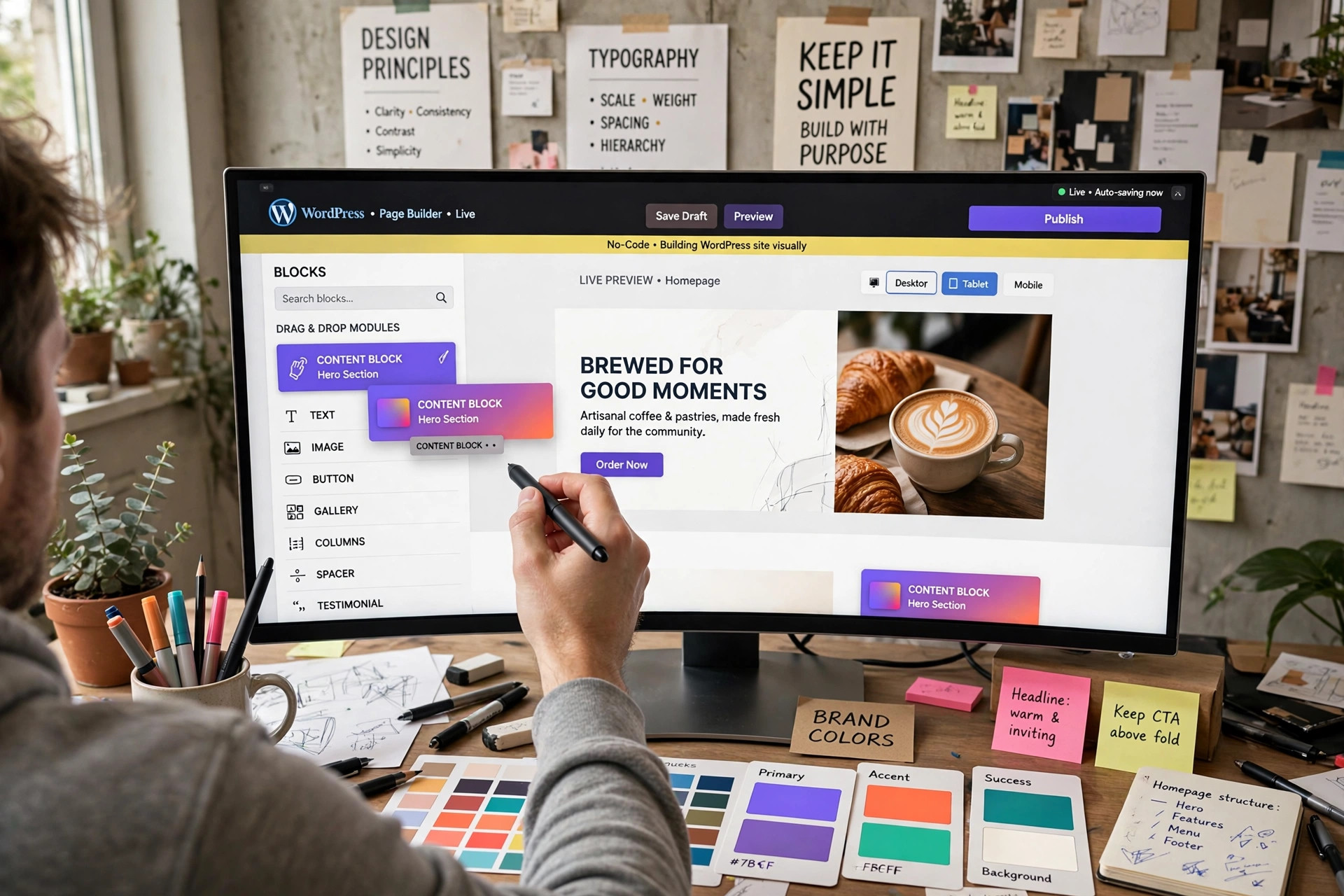
Divi is two things at once. It is a WordPress theme — the design layer of your site — and a visual builder: a drag-and-drop editor where you construct pages from sections, rows, and modules (text, images, sliders, forms, galleries) directly on the front end of your site, watching every change live. No code required, and no separate preview window guessing game.
On top of the builder, Divi includes a full theme-building system: you can design your site's headers, footers, and templates visually and apply them across pages, posts, and product layouts, instead of being stuck with whatever your theme's default header looks like. Add a large library of ready-made layouts you can import and restyle, plus Divi Cloud — a personal library where you save your own sections and elements once and reuse them across projects — and you have a system aimed squarely at people who build more than one page, and often more than one site.
Crucially, Divi is sold as a membership: one Elegant Themes membership covers use on multiple sites. For freelancers and small agencies, that economics — build site after site under one membership — is a large part of Divi's appeal. We are not quoting a specific price here, because membership pricing and promotions change; check the current membership price on the official site before deciding: see Divi on Elegant Themes
Who Divi is built for
Divi makes most sense for three kinds of builders. First, site owners without code who want real design control without hiring a developer for every tweak. Second, freelancers and small studios building client sites repeatedly, where the layout library and Divi Cloud turn last month's work into this month's head start. Third, marketers who need landing pages fast and refuse to wait in a developer's queue.
It makes less sense for minimalists who want the lightest possible site and nothing else, and for developers who prefer writing clean code themselves over configuring a builder's settings panels.
Honest pros
- Truly visual editing. What you drag is what visitors get; beginners grasp it quickly and stop fearing their own websites.
- Whole-site control. Headers, footers, and templates are designed in the same visual system, so your entire site can look intentional, not patched together.
- A deep layout library. Starting from a professional layout and restyling it beats staring at a blank page — especially under deadline.
- Divi Cloud. Save your best sections once, reuse them everywhere. For anyone building repeatedly, this quietly saves hours.
- One membership, multiple sites. The licensing model suits portfolios, client work, and side projects under a single cost.
Cons — and the warning that matters most
- It is a heavy system. Divi loads a lot of machinery to give you that visual freedom. On cheap, slow hosting this can show; Divi sites reward decent hosting and sensible performance care. (Our SiteGround review covers a hosting option many WordPress builders pair with tools like this.)
- Shortcode lock-in if you leave. This is the big one, stated plainly: Divi builds pages using its own shortcodes. If you later abandon Divi, your content does not gracefully fall back to clean formatting — you face a messy cleanup and rebuild. Choosing Divi is a long-term commitment to the Divi way, so make the decision deliberately.
- So many options. The same depth that empowers experienced users can overwhelm first-timers; expect a learning curve of days, not minutes.
- Design responsibility is yours. Divi gives freedom, not taste. The layout library helps, but a careless Divi site still looks careless.
Divi vs. building another way
If your real goal is selling products with minimal website fuss, a hosted platform may honestly serve you better — our Shopify review lays out that path. Divi's case rests on owning your WordPress site, controlling design deeply, and spreading one membership across many projects. If you plan to build one site, love it, and improve it for years, Divi's commitment risk matters less — you are not leaving anyway. If you are experimenting and expect to switch platforms within a year, weigh the lock-in warning at full strength.
When you are ready to decide with current details, go straight to the source: check Divi's current membership and features
Verdict
Divi is a powerful, genuinely visual way to build WordPress sites — headers to landing pages — under one multi-site membership, backed by a big layout library and the quietly excellent Divi Cloud. In exchange, accept two truths: it is a heavy system that wants good hosting, and leaving it later is painful. If you intend to stay and build, that trade is fair and Divi earns its popularity. Go in with eyes open and current pricing in front of you: get Divi from Elegant Themes